Portfolio Index · Websites

Web design · Development · Content systems

Websites built for people, content, and change.

Selected website work spanning global content operations, focused rebuilds, visual storytelling, and an evolving personal practice.

Back to selected work
Project 01Website Case Note

Givex

Global Website Management

I helped coordinate Givex's migration from its legacy CMS to a global WordPress platform before becoming the primary internal owner of the corporate website. I managed content, landing pages and digital experiences across multiple international regions while maintaining consistency within an established design system.

Role
Website Management
Platform
WordPress + Gutenberg
Regions
Canada · United States · Mexico · Brazil · United Kingdom · Australia
Design
Original website by Massive
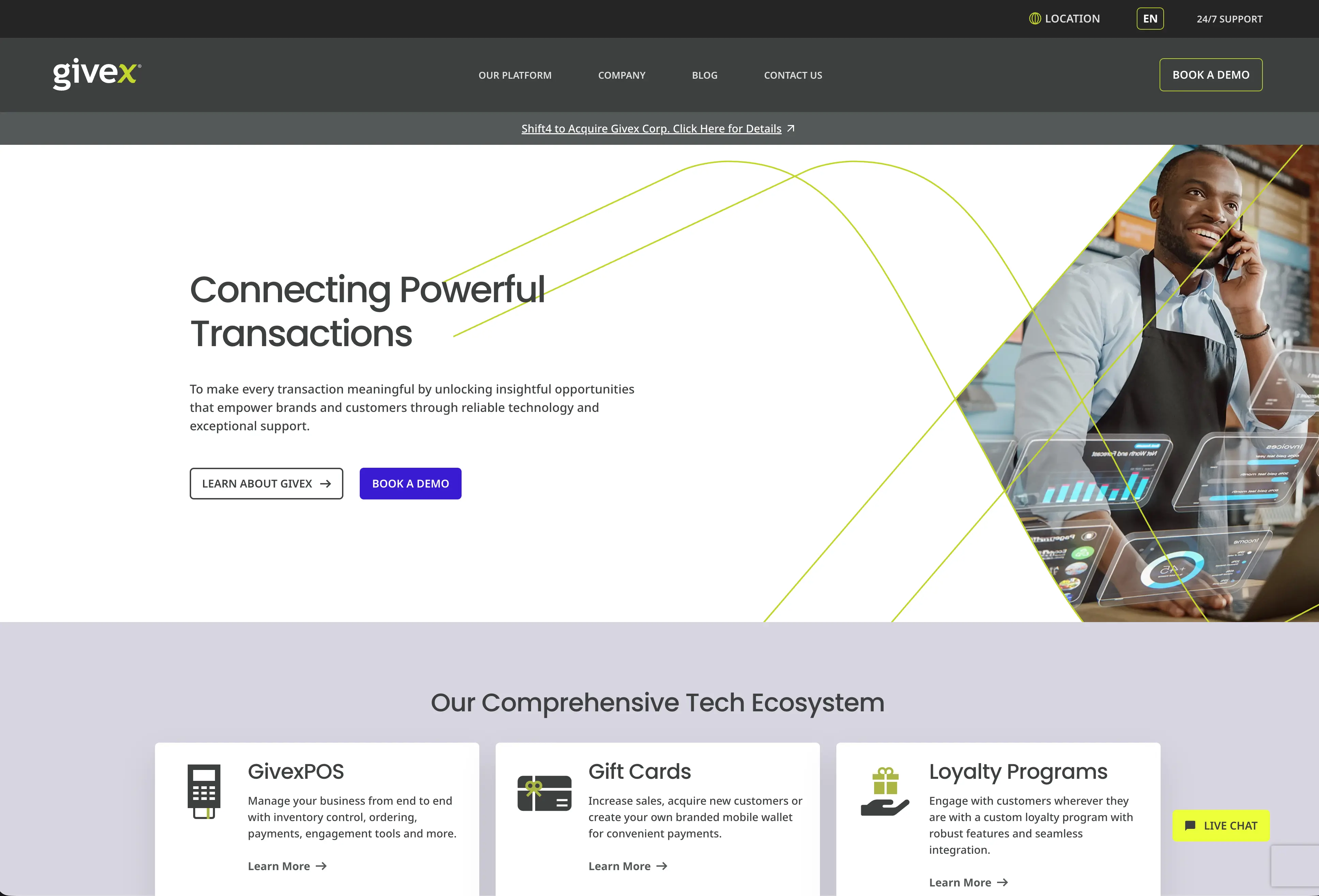
Global Givex corporate website homepage following the WordPress migration
Global Givex corporate website following the WordPress migration. Original design and development by Massive. My role focused on operating, expanding and managing the platform after launch.
My Role

Primary internal website owner.

Following the launch of the new WordPress platform, I became the primary internal point of contact for Givex's corporate website. I managed day-to-day website operations, created new pages, supported regional marketing teams and ensured the platform remained organized and consistent across multiple international markets.

6
International regions
~30
Core pages per major region
~60
Landing pages created or maintained

What I worked on

  1. 01

    Global Website Operations

    Managed day-to-day WordPress publishing across product pages, blogs, navigation, multimedia and regional content, while coordinating website requests from marketing and internal teams.

  2. 02

    Landing Pages & Page Building

    Created and maintained approximately 60 landing pages for products, campaigns, trade shows, acquisitions and customer communications using Gutenberg, reusable modules and established templates.

  3. 03

    Regional Management

    Managed localized content across Canada, the U.S., Mexico, Brazil, the U.K. and Australia, supporting different languages, products and regional business priorities.

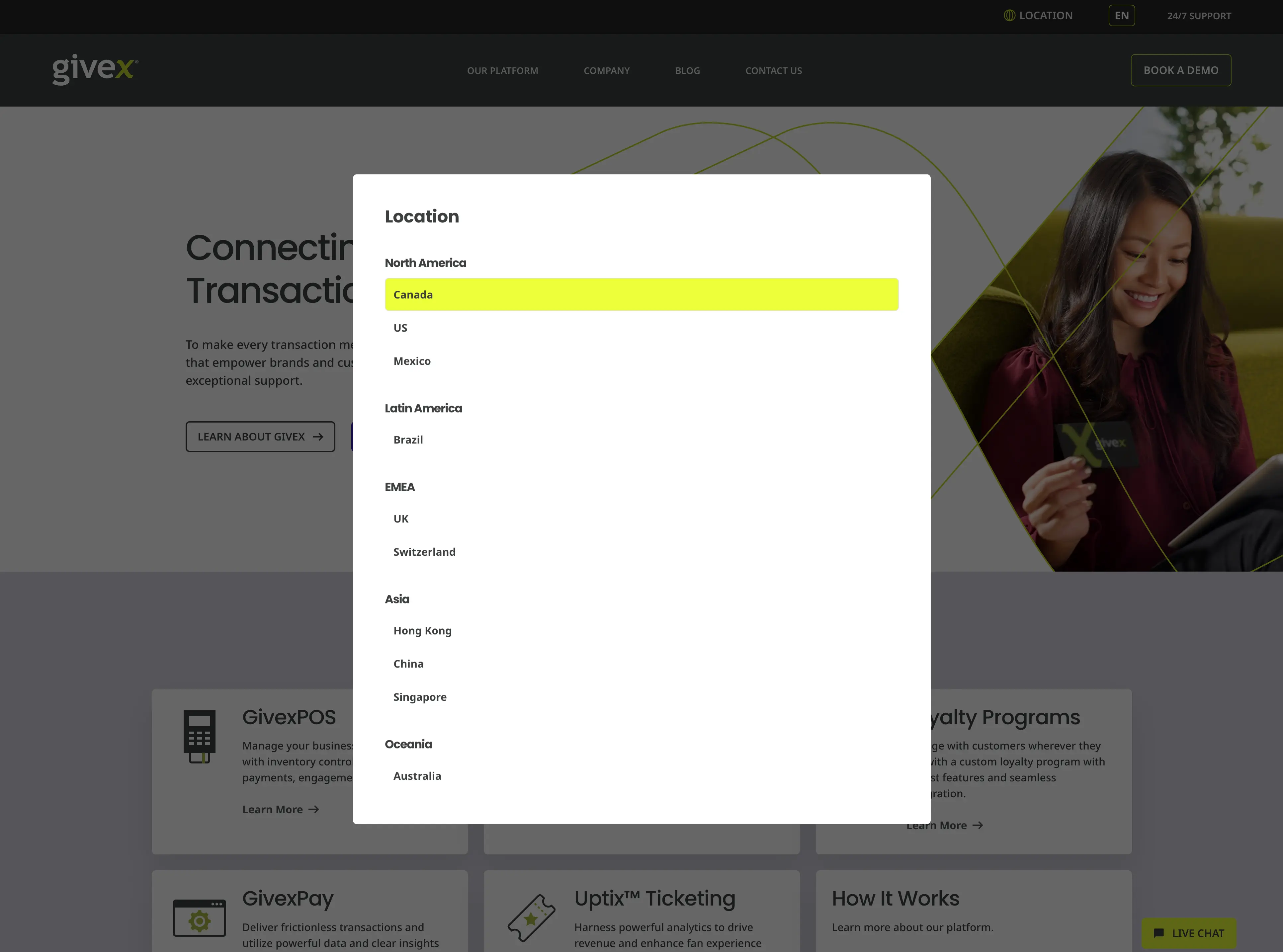
    Givex location selector showing the international website regions
    One website, multiple markets. Regional teams required different content, languages, products and business priorities while still operating within one consistent global platform.
  4. 04

    CMS Administration & Optimization

    Managed users and permissions, regional blog access, plugins, Yoast SEO, redirects, navigation and selected CSS updates, while using Hotjar and analytics to identify usability and content improvements.

Migration

From Migration to Ownership
Before becoming the primary website owner, I participated in Givex's migration from the legacy Marquis CMS to WordPress. Working alongside Massive and internal stakeholders, I helped gather regional requirements, review layouts, coordinate localized content and support the transition to a scalable global platform.

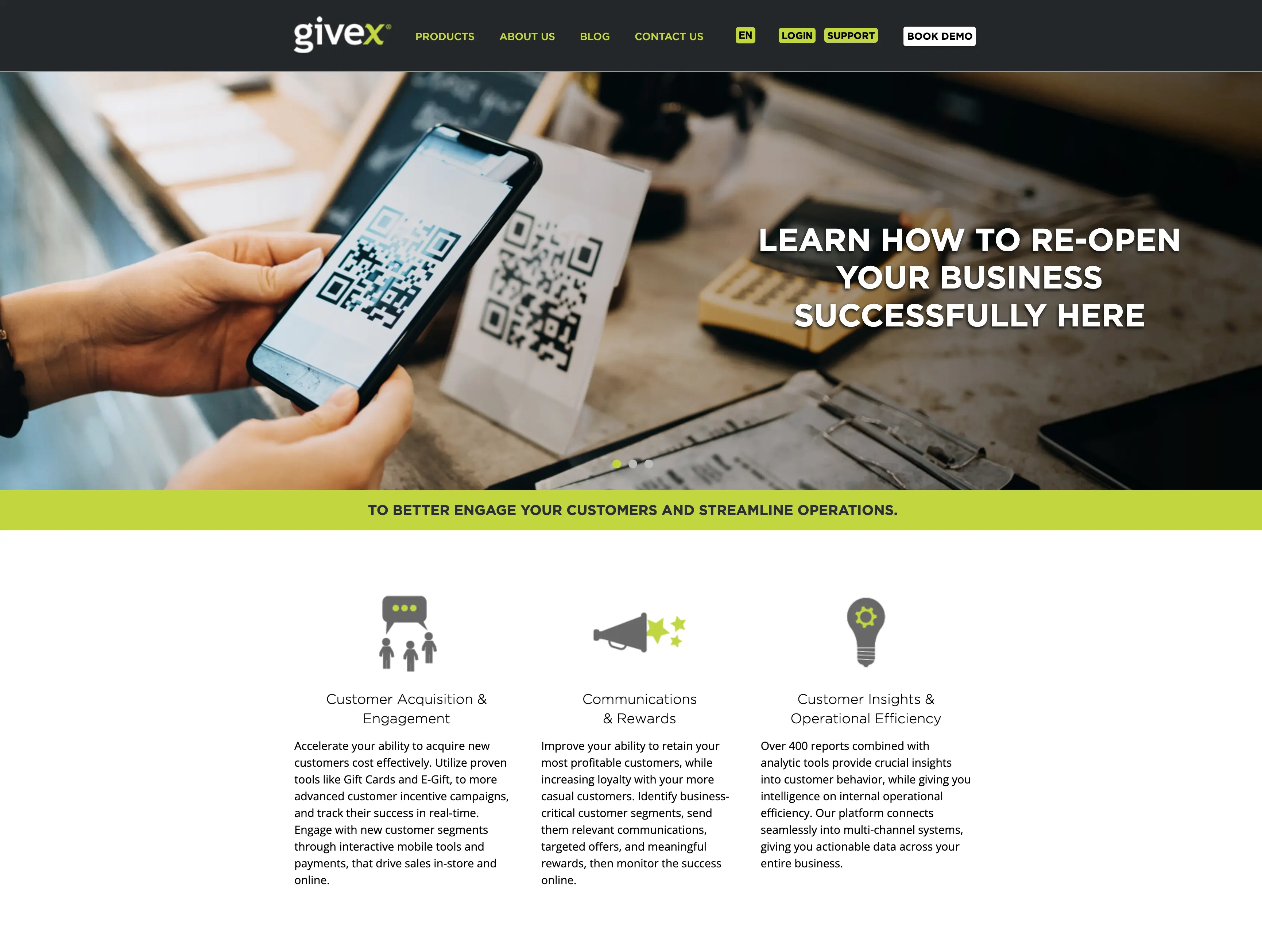
Legacy Givex website before the WordPress migration
Legacy Givex website prior to the migration to WordPress.
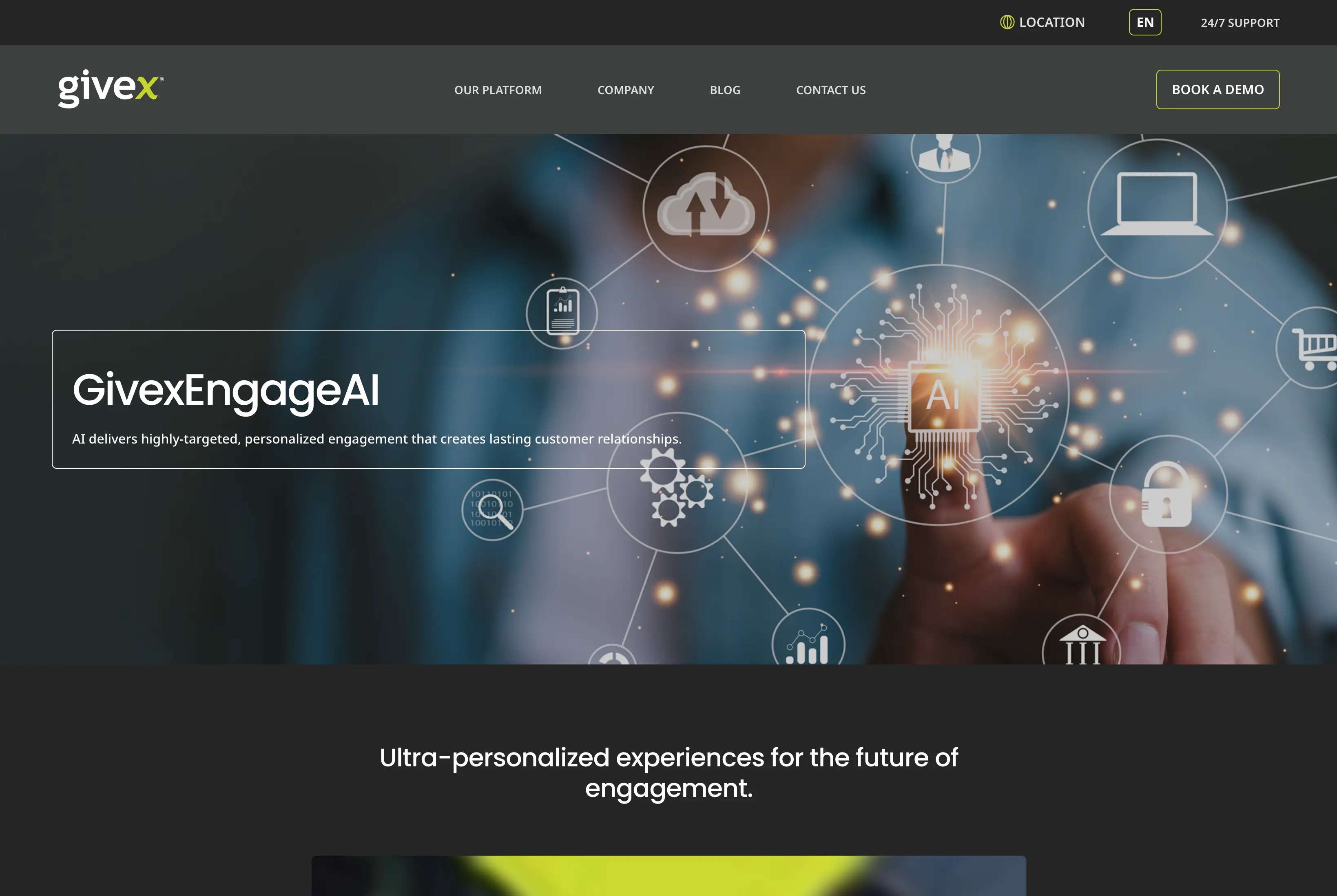
GivexEngageAI product page created within the established Givex design system
GivexEngageAI product page. Built by me in WordPress using Givex's established design system and reusable components.
Page Production

Pages I Created

Beyond maintaining existing content, I created new product, campaign and landing pages using Gutenberg, reusable modules and established templates. I worked within Givex's existing design system while adapting layouts and content for different business needs and responsive breakpoints.

Regional Transition

Shift4 Transition

Following Shift4's acquisition of Givex, I helped update regional websites and customer-facing messaging to support the transition while maintaining continuity across international markets.

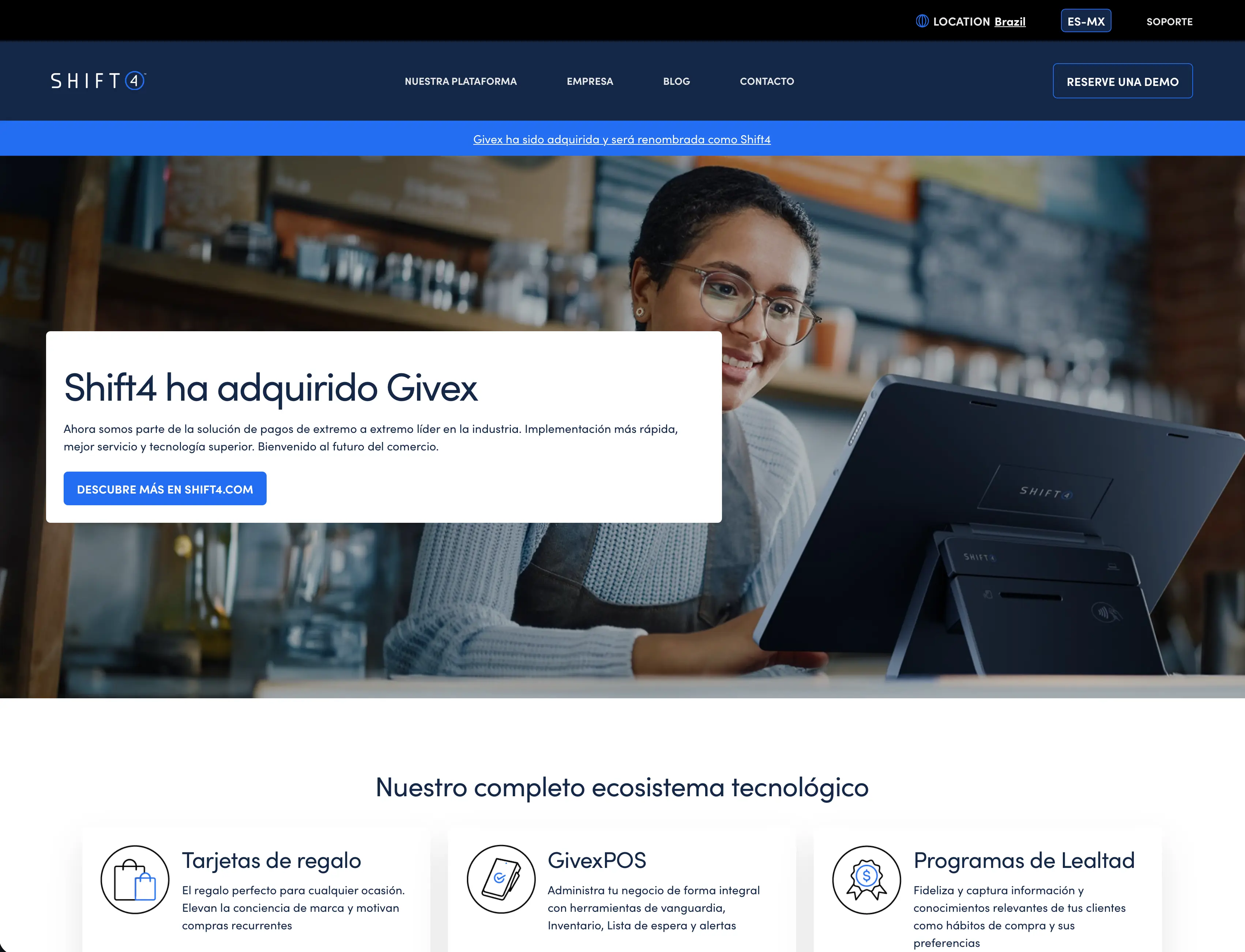
Localized Mexican homepage updated during the Shift4 acquisition
Localized homepage updated during the Shift4 acquisition for the Mexican market.

Next project

02

Emigrar Canada

Project 02Long-term digital ownership

Emigrar Canada

Website Design & Digital Ownership
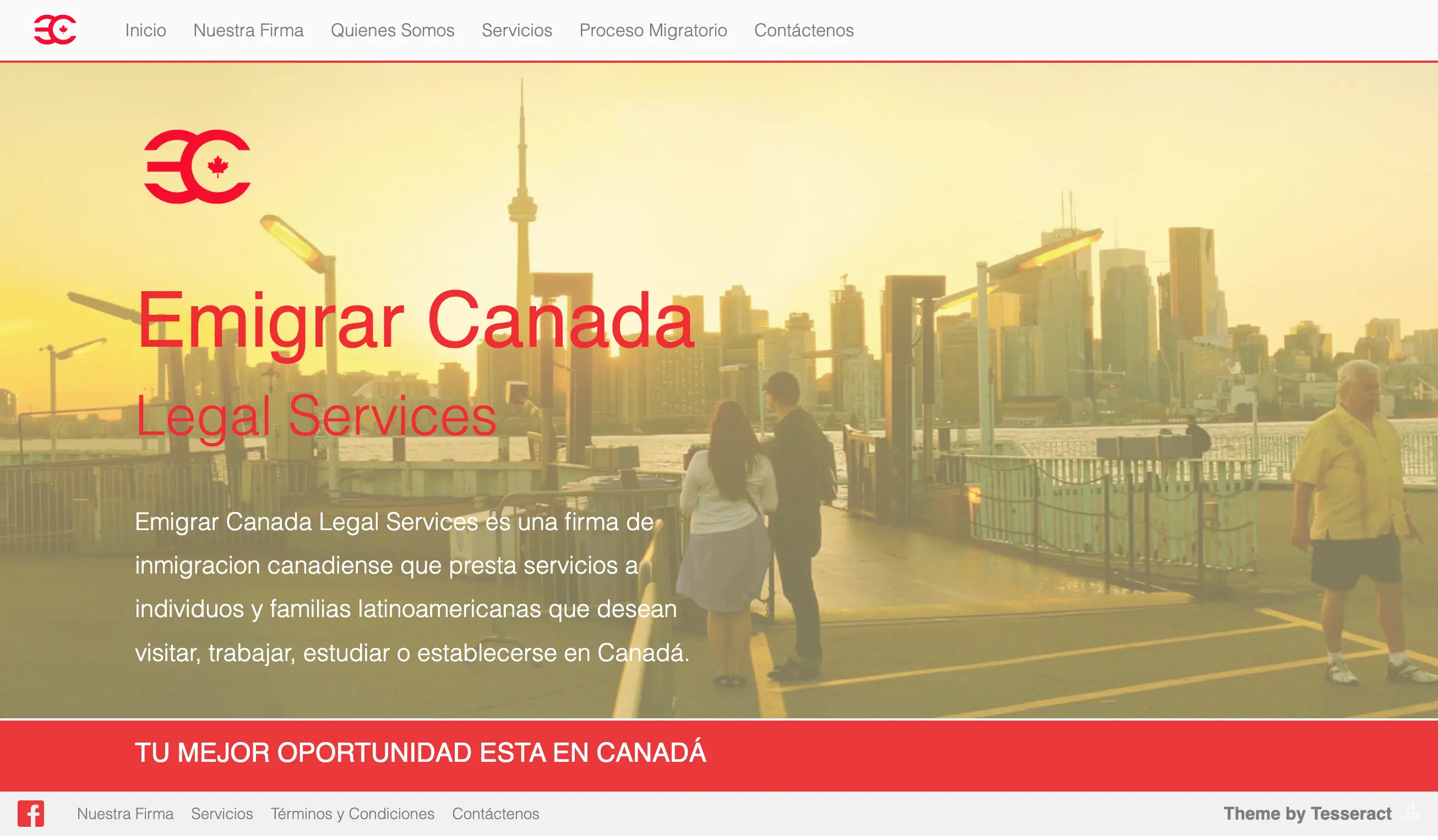
Emigrar Canada is an immigration consultancy helping people navigate the process of studying, working and building a life in Canada. As the business expanded its services and digital presence, I became responsible for much of the infrastructure supporting that growth. I redesigned and rebuilt the website, evolved the brand, organized an expanding catalogue of immigration services, created lead-generation and WhatsApp contact flows, and continue to manage the site's content, SEO, performance and technical maintenance.

Role
Web Design + Digital Ownership
Platform
WordPress + Elementor
Focus
UX · Leads · SEO · Performance
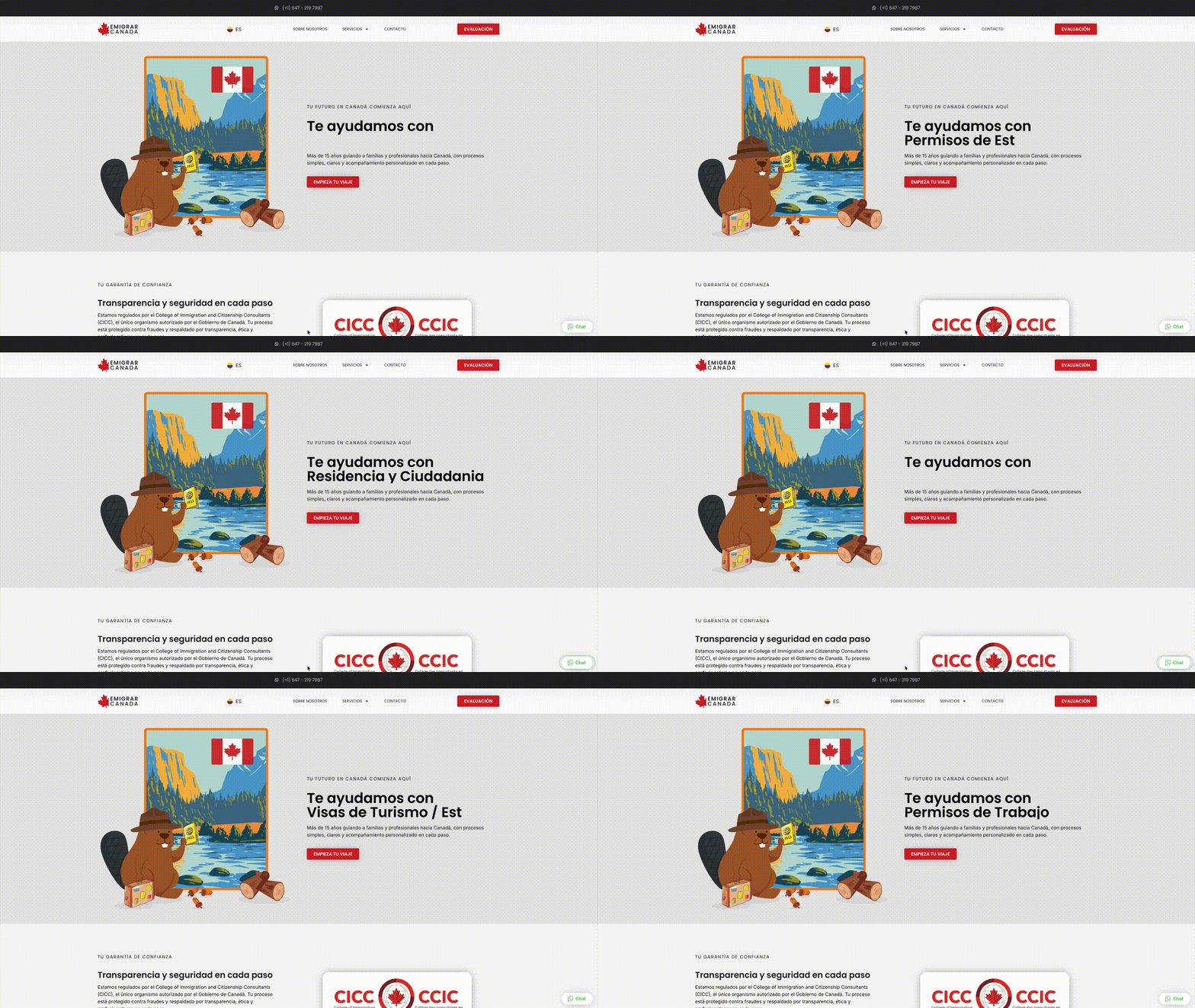
Animated walkthrough of the current Emigrar Canada desktop homepage
Current desktop homepage
Original Emigrar Canada website from 2014
Original website · 2014
Transformation

From the original website to an ongoing digital system

As the business evolved, its website gained clearer hierarchy, a stronger mobile experience and more direct paths to services and contact.

BeforeDesign + UXLead generationResults
Design + UX

Clear on every screen.
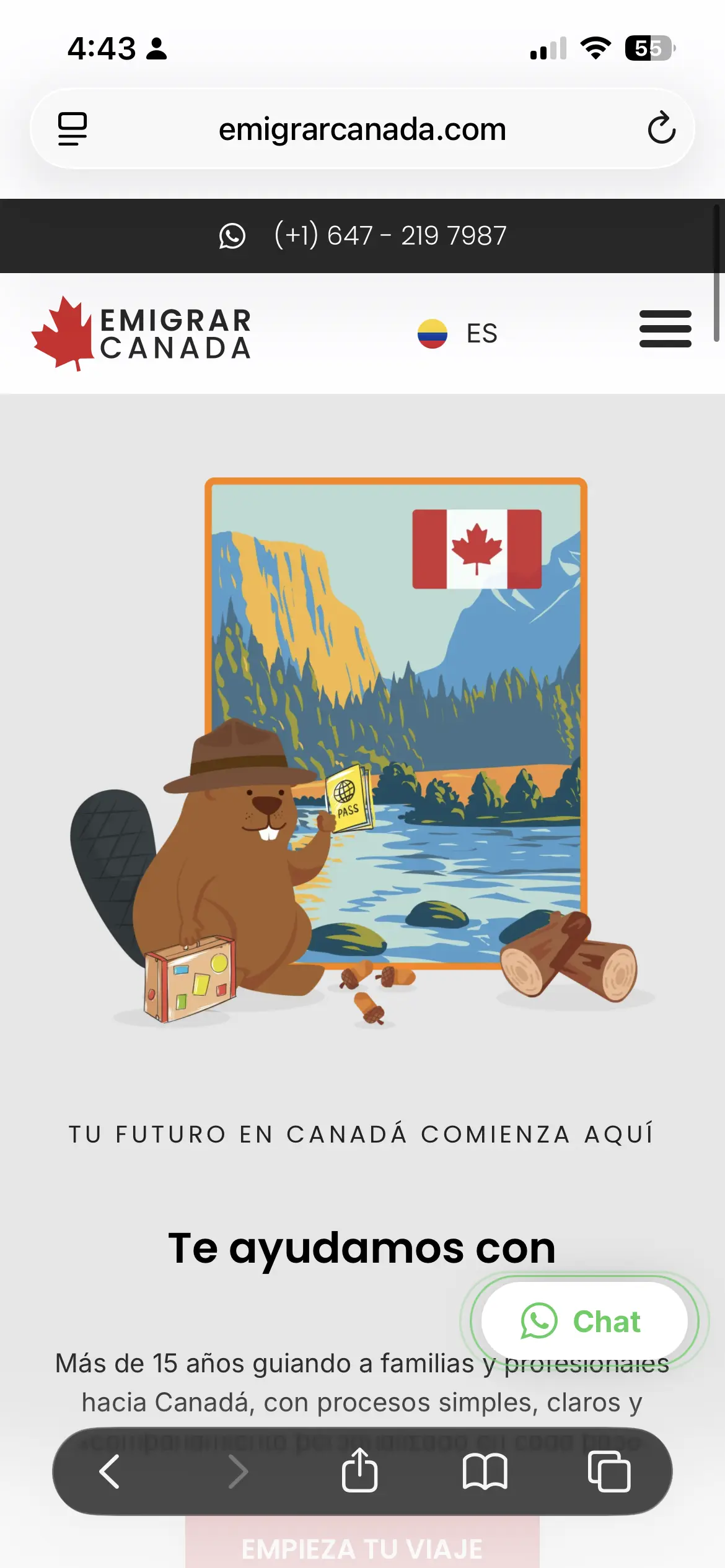
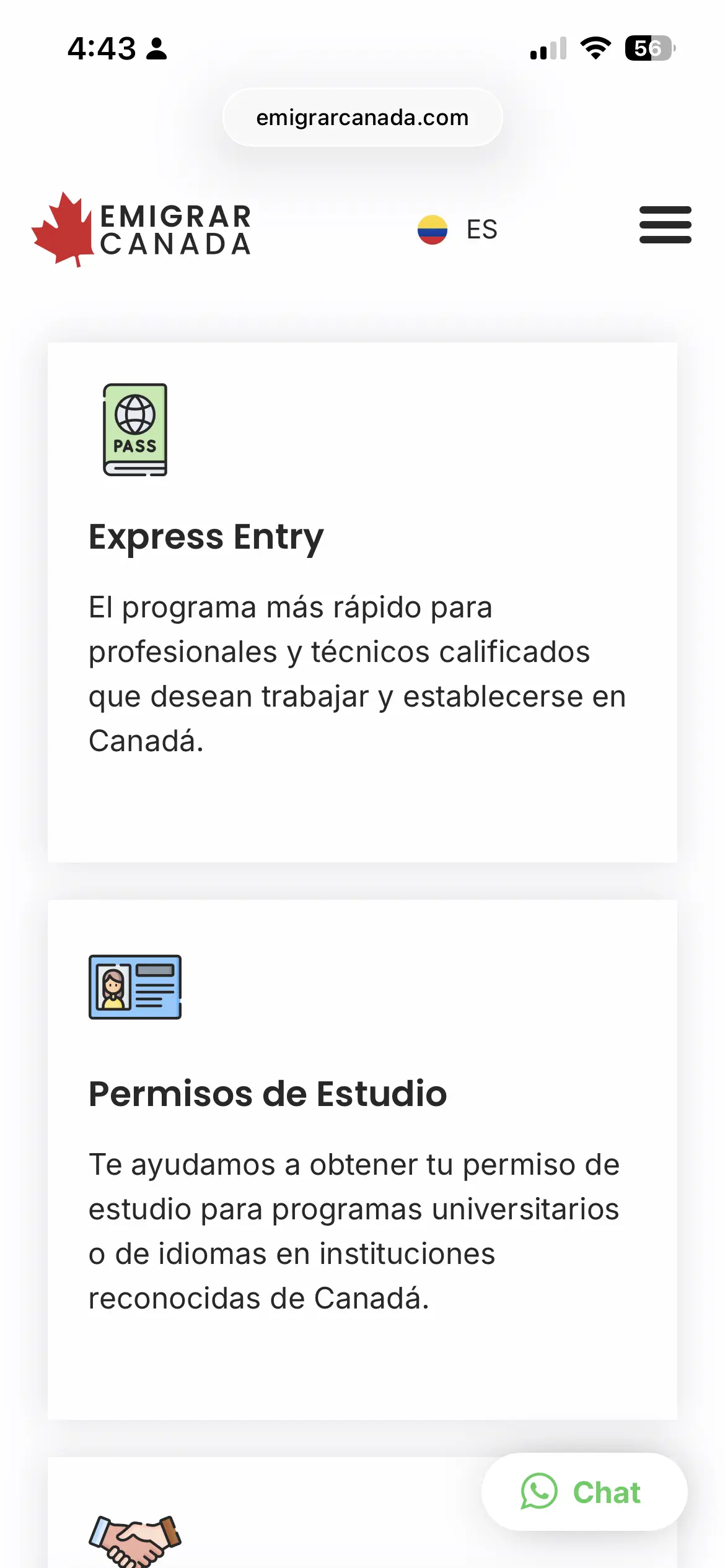
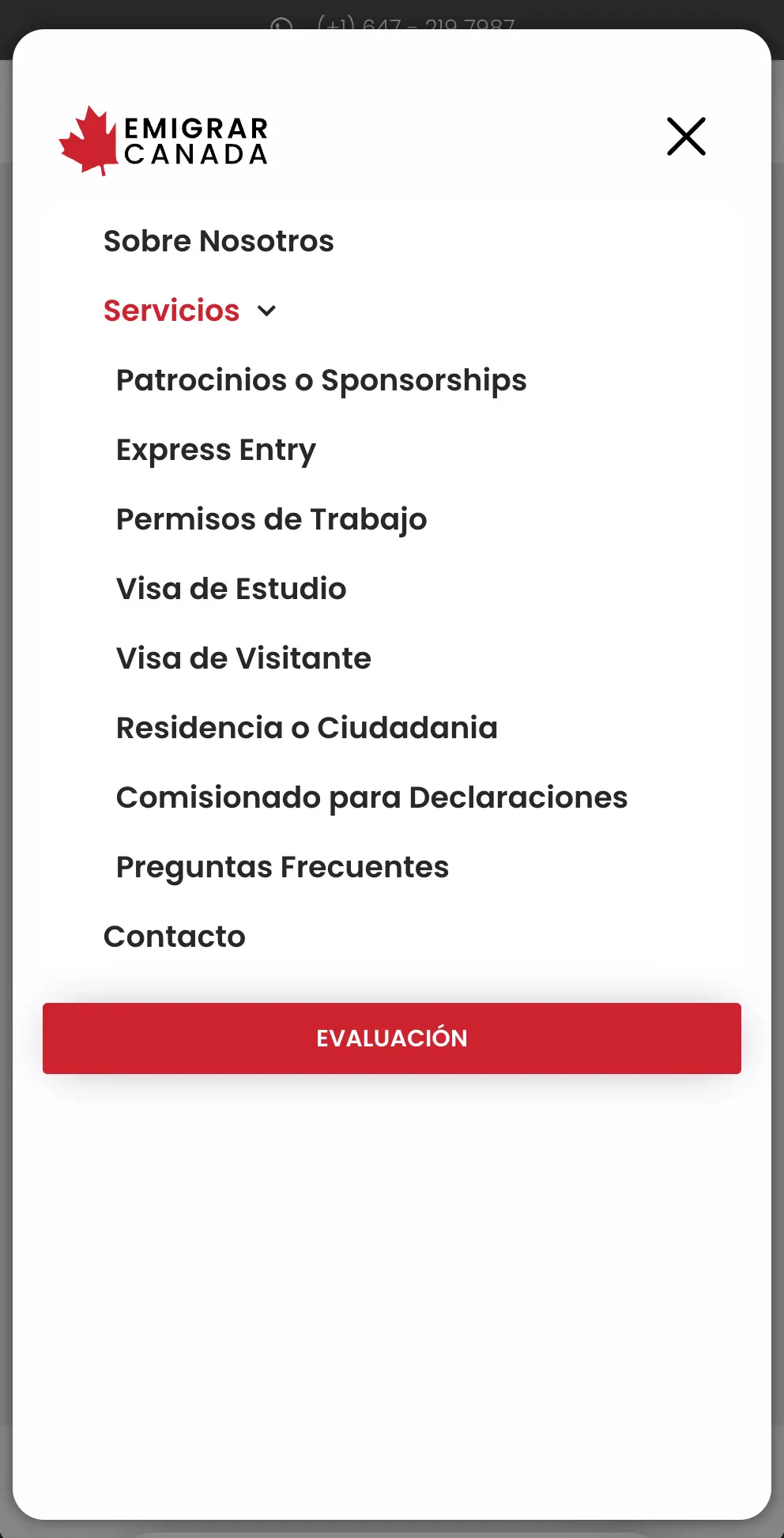
Responsive design and clearer information architecture make complex services easier to navigate on mobile.

Emigrar Canada homepage displayed on mobile
Responsive homepage
Mobile Emigrar Canada service categories
Service categories
Mobile navigation menu listing Emigrar Canada services
Mobile navigation
Responsive layoutsSpanish-first communicationClear service pathwaysMobile usability
Lead generation

Turning visits into conversations.

The website is designed around what happens after someone arrives: helping qualified visitors take action and contact the business.

01

Qualification

A guided evaluation.

A multi-step form turns complex intake into manageable stages.

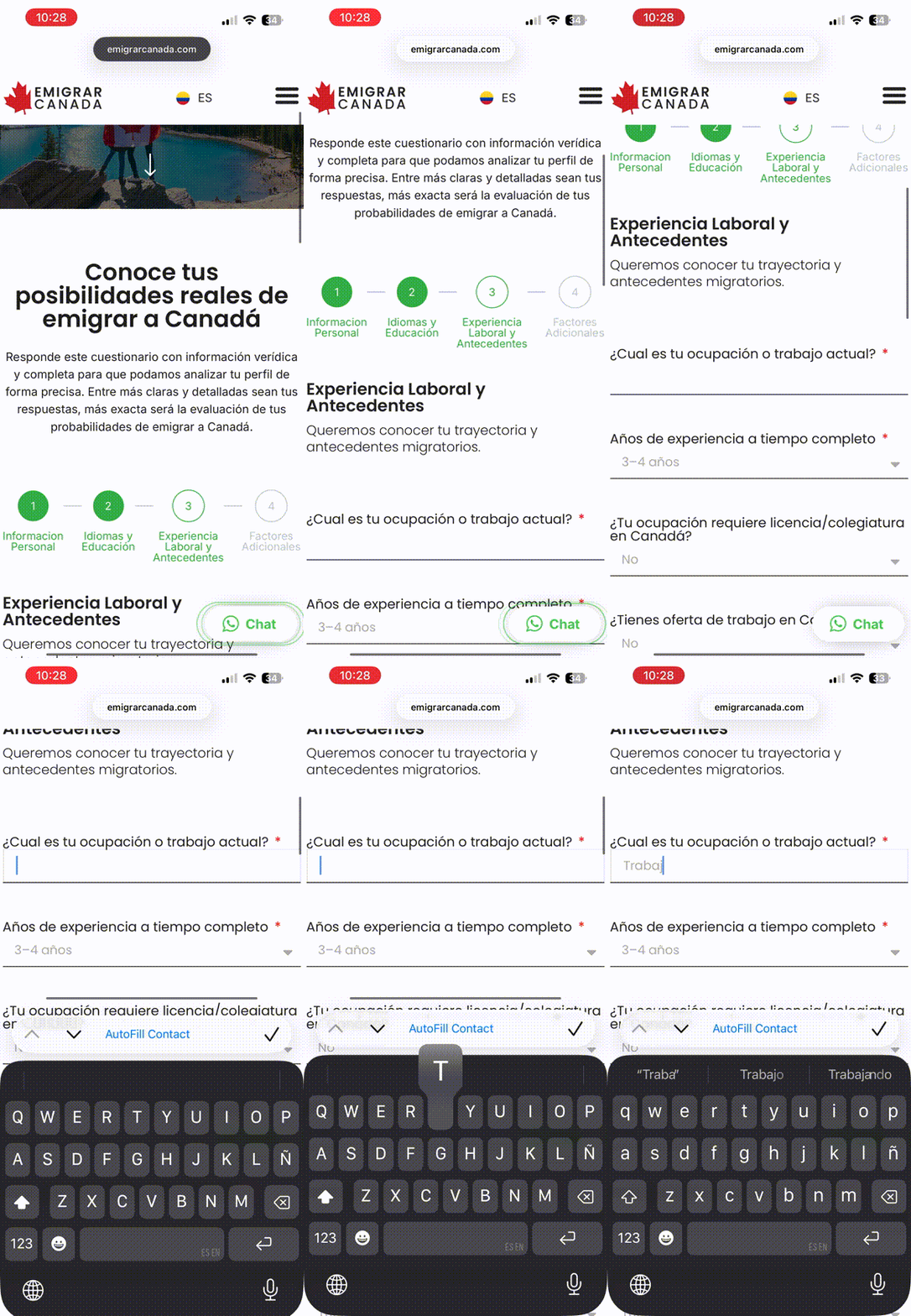
Animated walkthrough of the Emigrar Canada guided evaluation experience
Guided evaluation flow
02

Conversation

A direct route to WhatsApp.

Qualified visitors can move directly from browsing to conversation.

Animated walkthrough of the Emigrar Canada WhatsApp contact integration
WhatsApp contact flow
Results

Performance + visibility.

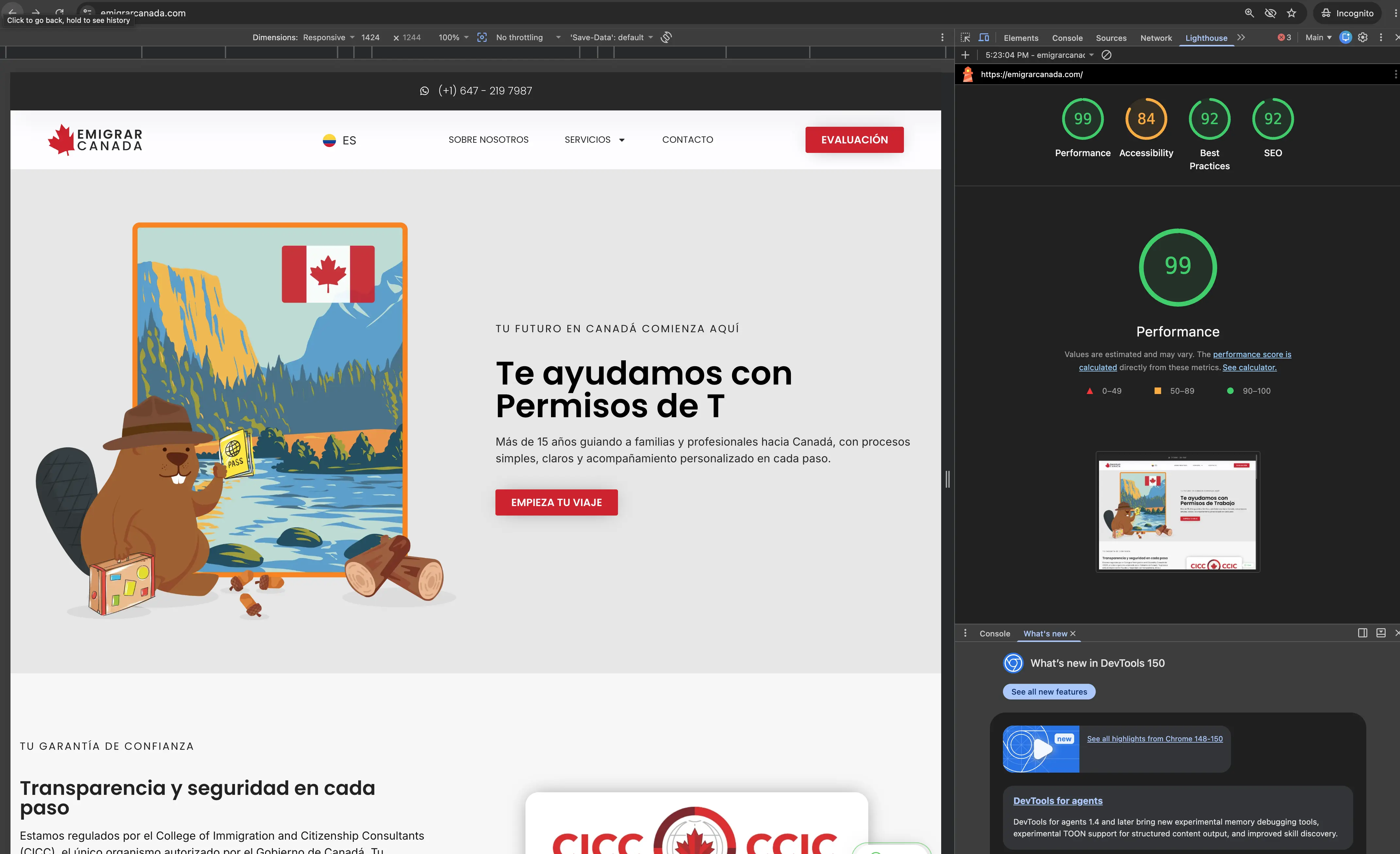
Lighthouse audit showing a desktop performance score of 99 for Emigrar Canada
99

Desktop Lighthouse performance

A 99 performance score indicates that the site loads quickly and responds efficiently under the conditions of this test. For Emigrar Canada, that means visitors can reach service information, evaluation forms and contact options with less friction, while strong technical performance also supports usability and search visibility.

Results vary by device, connection and test conditions.

Ongoing management · WordPress maintenance · Content updates · SEO · Performance monitoring · Plugins · Backups

More than a redesign: an ongoing digital system connecting brand, services, lead generation and website performance.

View the live website

Next project

03

Circling Colombia

Project 03Website redesign + content system

Circling Colombia

Redesigning a travel website to look better, work better, and be easier to manage.
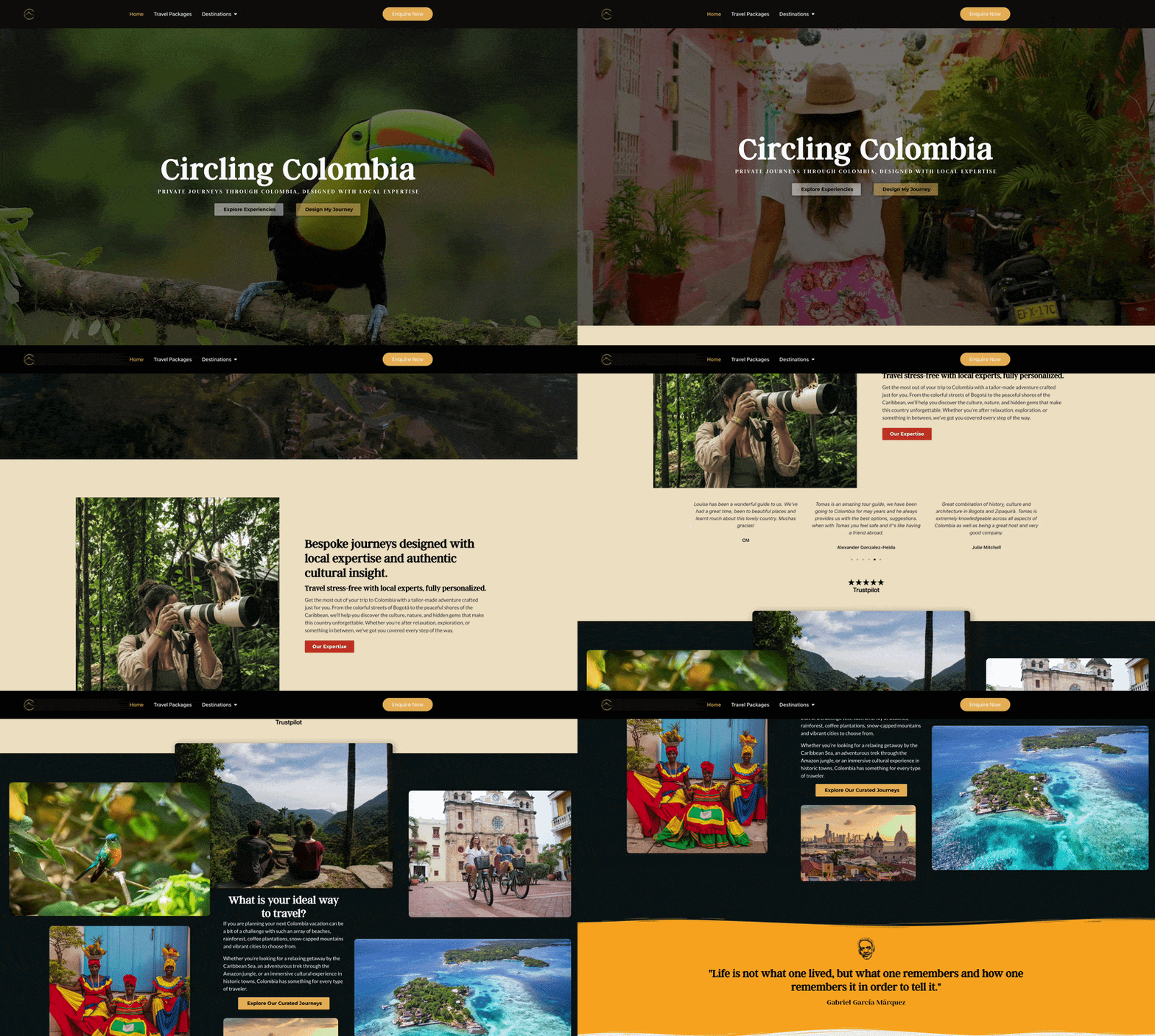
Circling Colombia came to me with an existing WordPress website built from a generic travel template that no longer reflected the experience they wanted to offer. I redesigned the site in Elementor Pro, established a consistent visual system and reworked its content structure to create a more polished experience that the team could continue managing themselves.

Role
Web Design + Development
Platform
WordPress + Elementor Pro
Focus
Responsive Design · Content Systems · Lead Generation
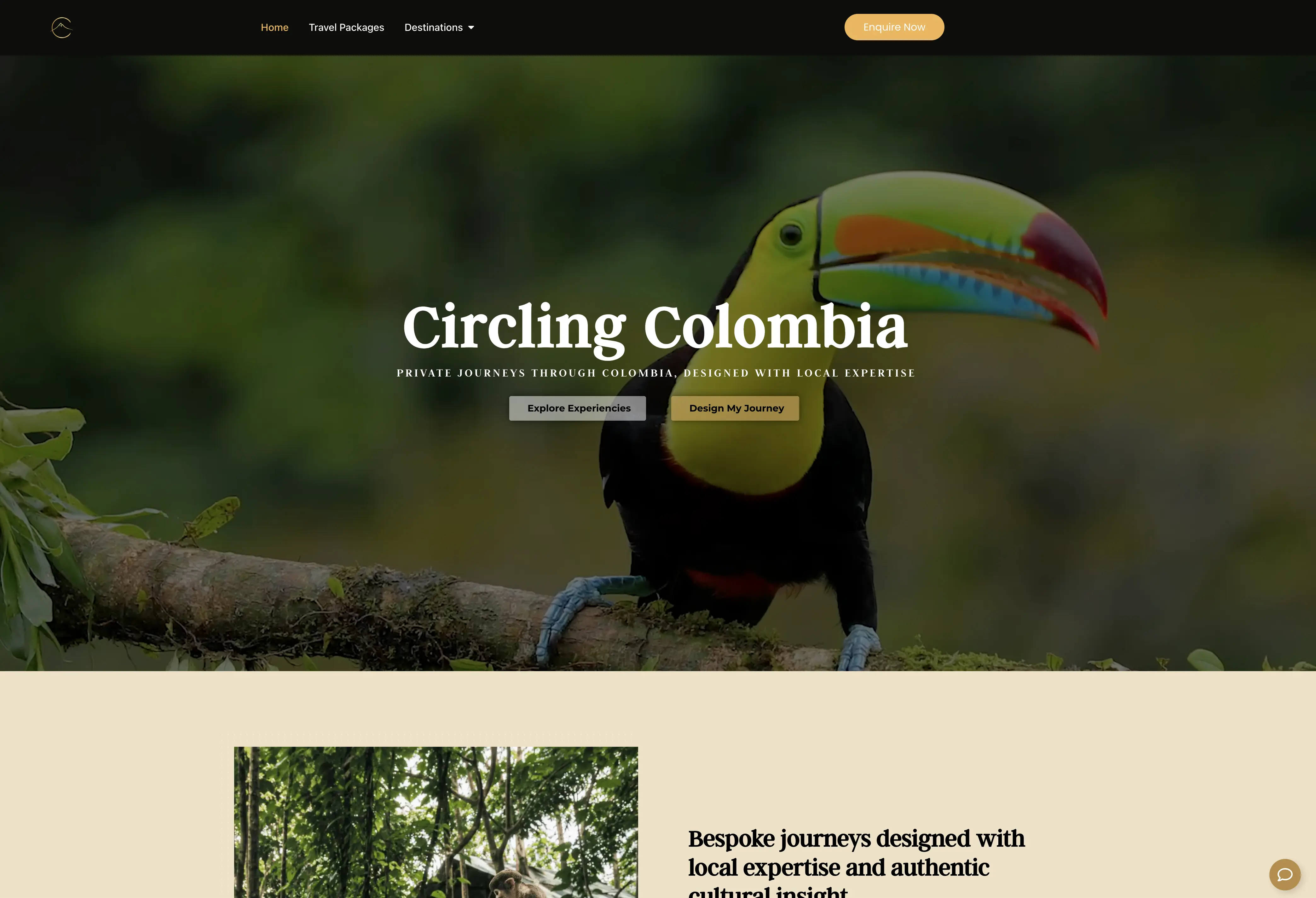
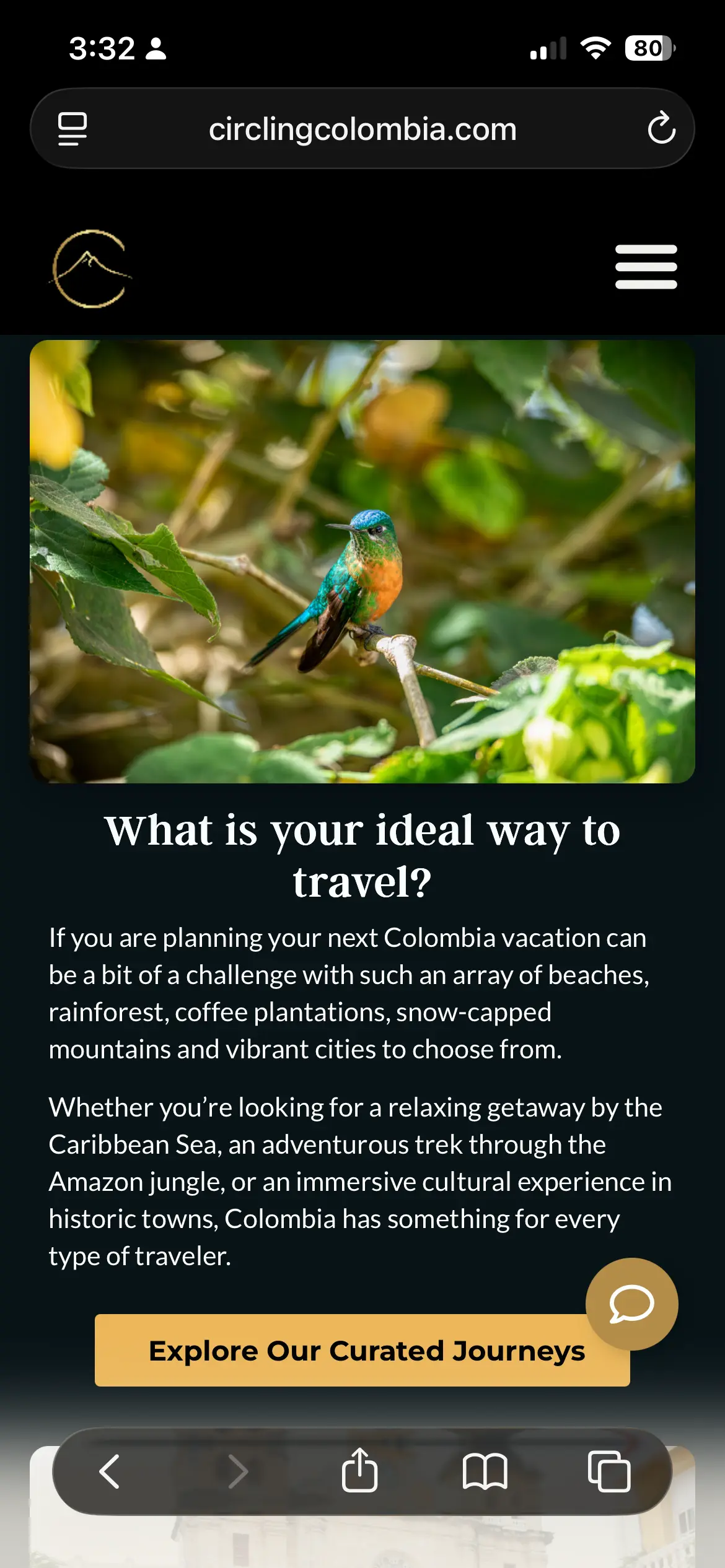
Animated walkthrough of the current Circling Colombia homepage
Current Circling Colombia homepage.
My Role

Designing the site and the system behind it.

My role went beyond updating the site's appearance. I redesigned the experience while building reusable styles, templates and structured content workflows that would make it easier for the Circling Colombia team to maintain and expand the website without rebuilding pages from scratch.

What I worked on

  1. 01

    Website Redesign

    Reworked the existing travel template into a more intentional visual experience, introducing new layouts, imagery, a video-led homepage, cards, calls to action and responsive treatments.

  2. 02

    Design System

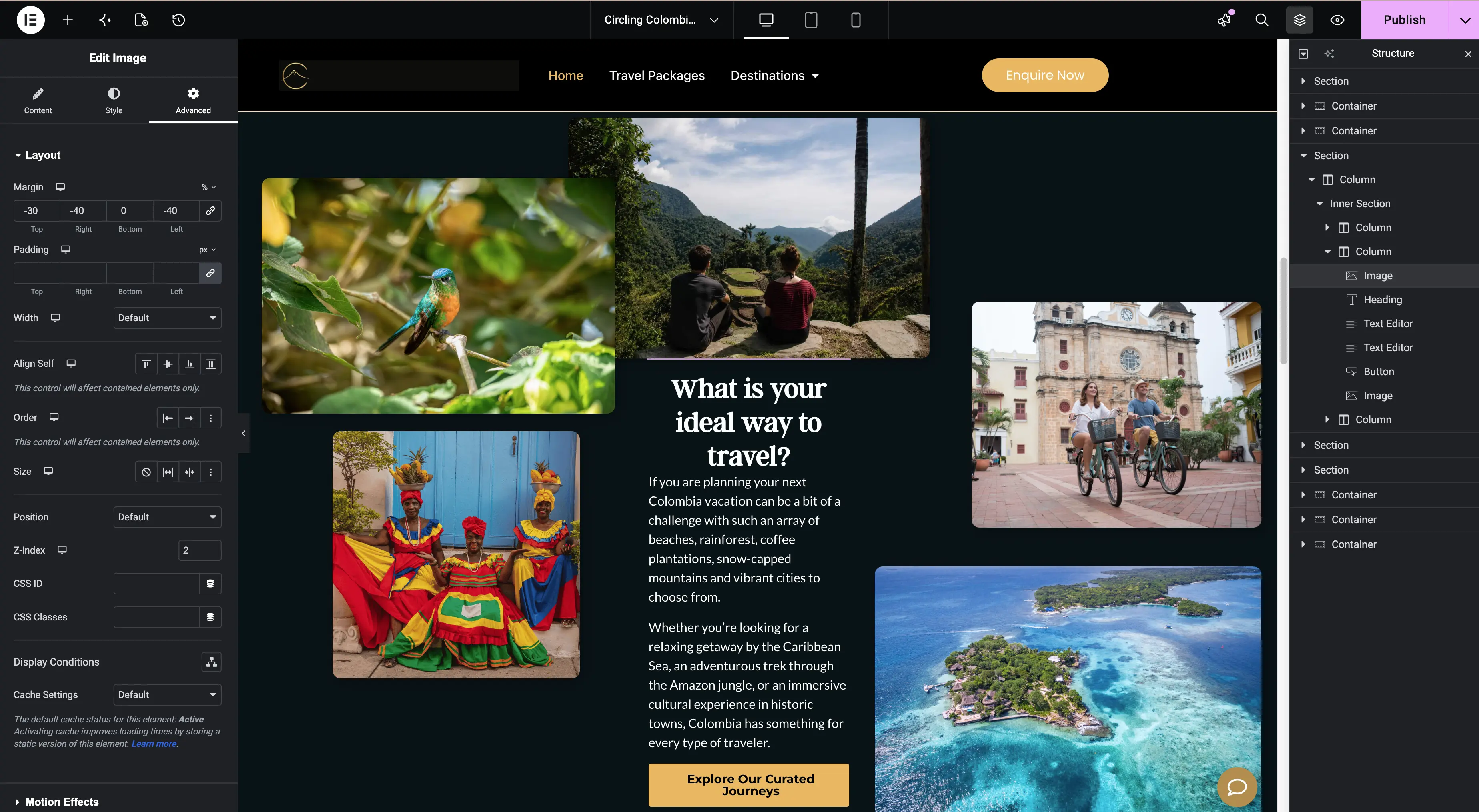
    Established global Elementor styles for typography, colours, buttons and recurring interface elements, creating a consistent foundation for future pages and content.

    Circling Colombia homepage being constructed in Elementor Pro
    Elementor Pro used to construct the redesigned visual experience.
  3. 03

    Structured Travel Content

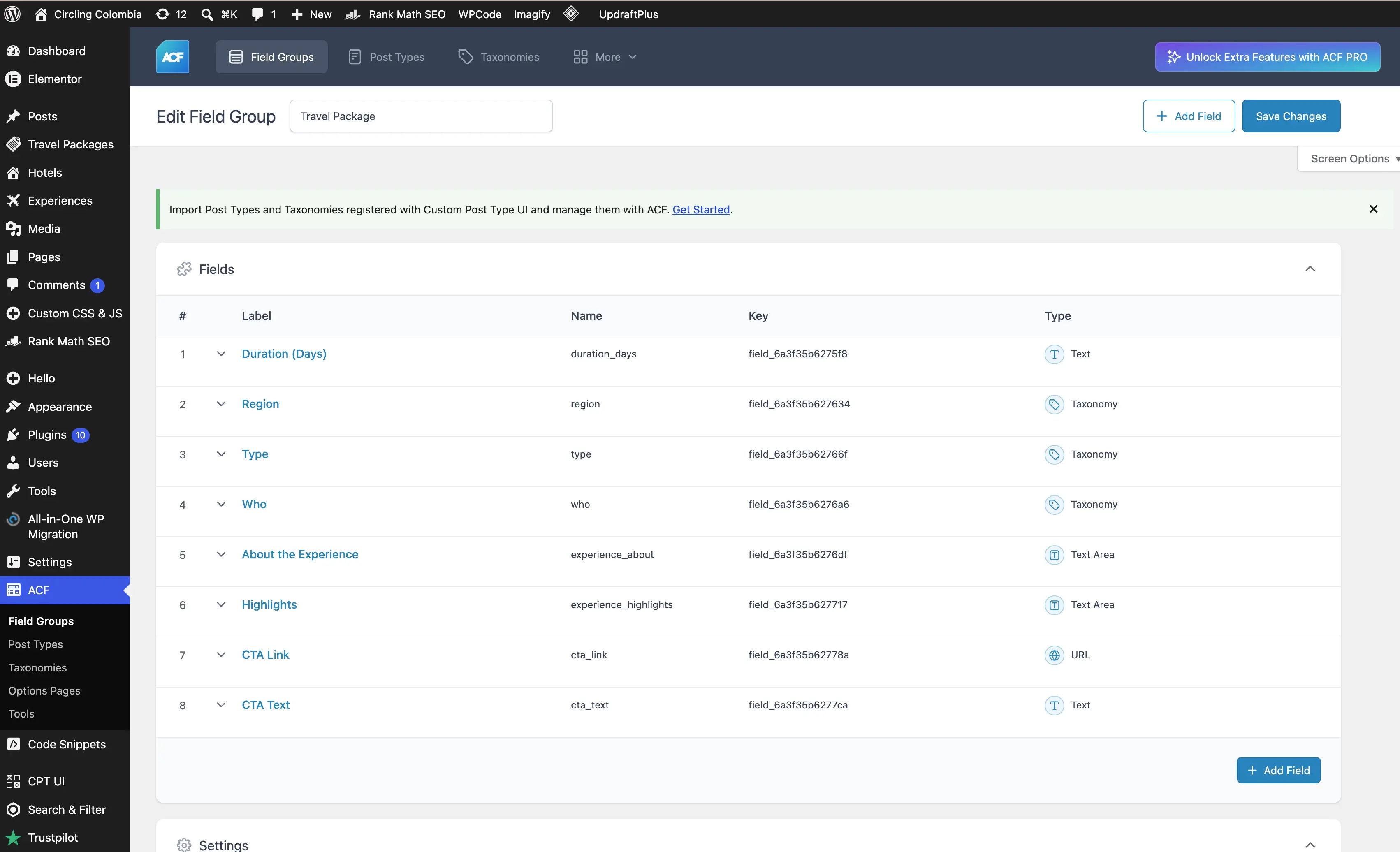
    Created Custom Post Types, taxonomies and ACF fields for travel packages and related content, allowing information such as duration, region, type, highlights and calls to action to populate reusable templates.

    Advanced Custom Fields configuration for Circling Colombia travel packages
    Structured travel-package fields created with Advanced Custom Fields.
  4. 04

    Contact & Conversion Paths

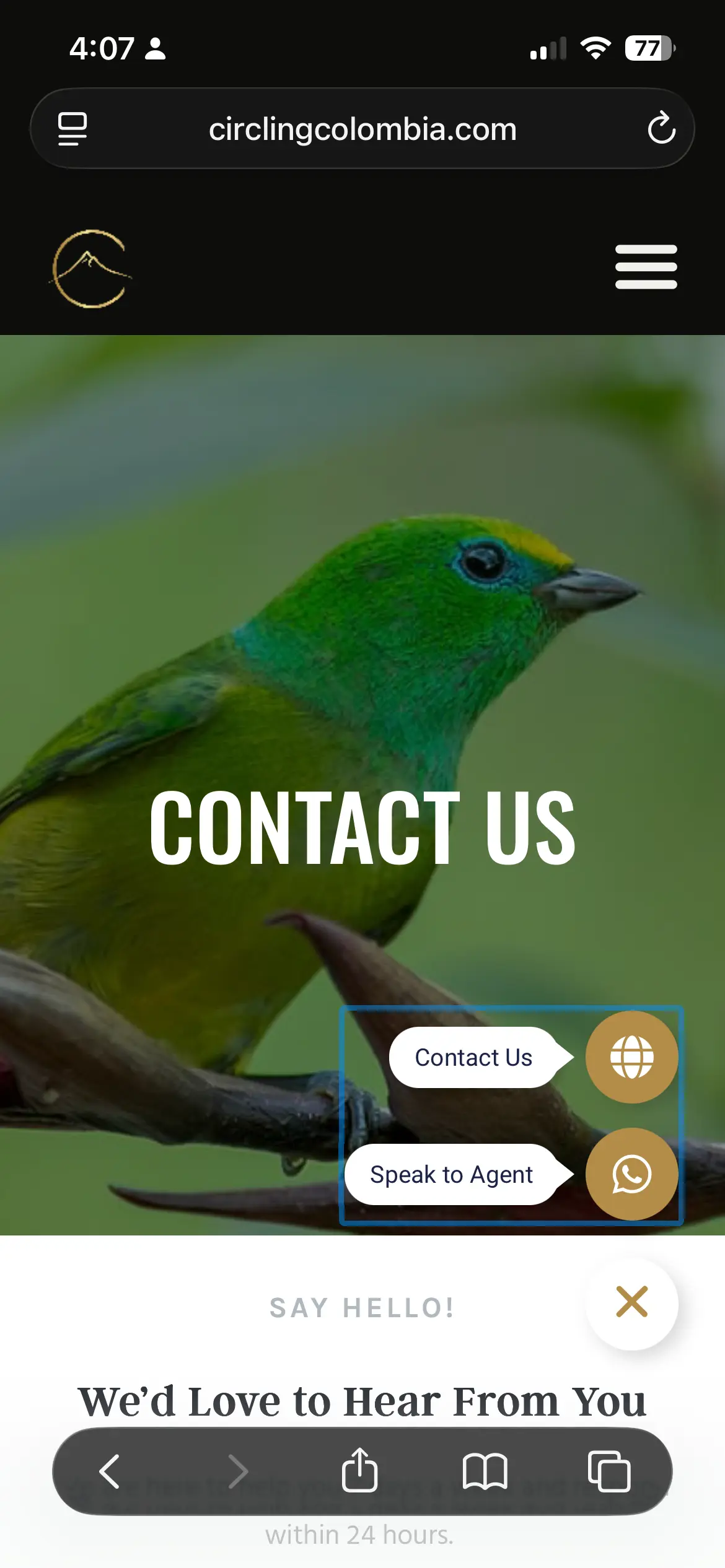
    Built clearer ways for visitors to take action through inquiry forms, contextual calls to action and direct WhatsApp access to an agent.

Content System

Built to grow with the business.
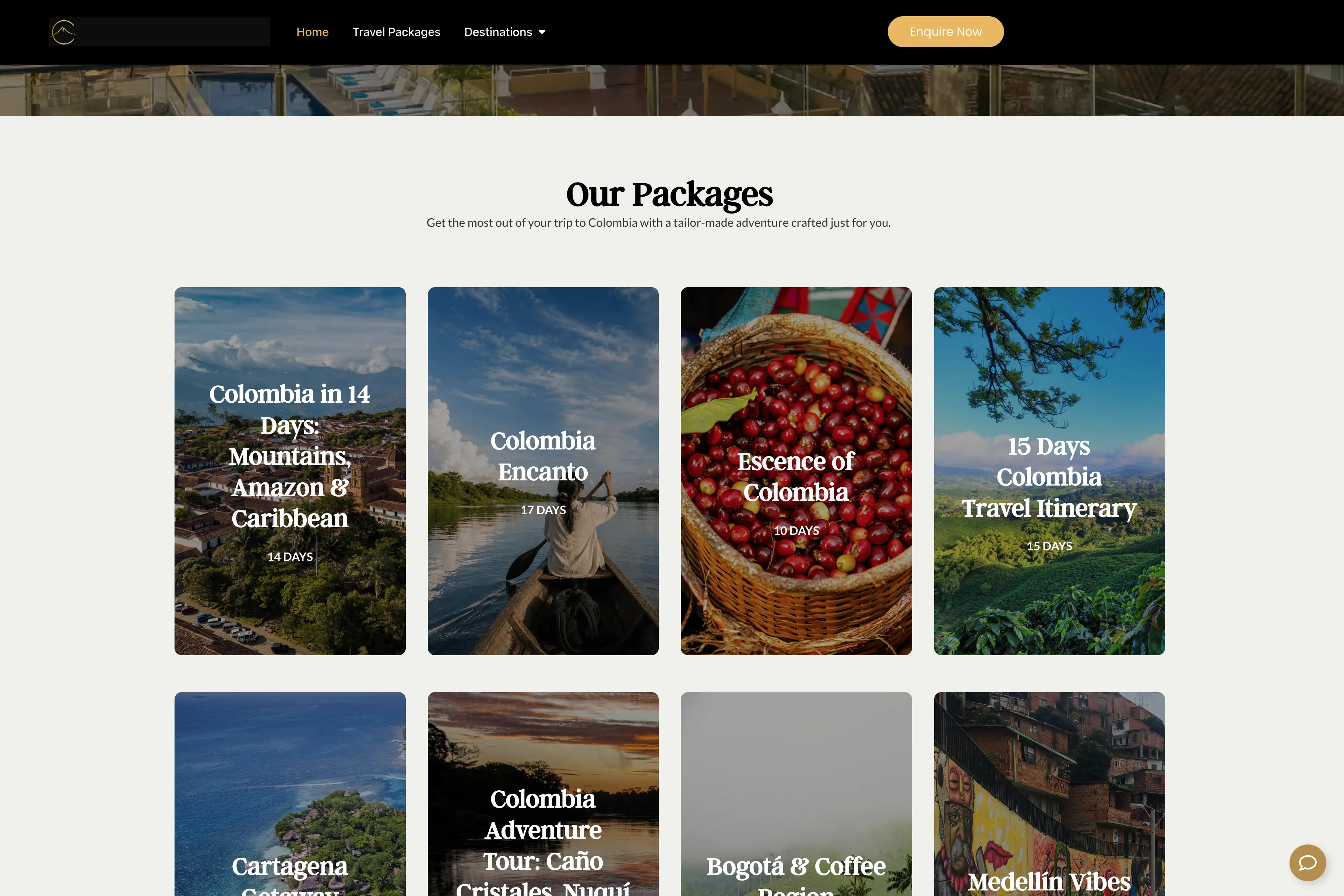
Instead of treating every travel package as a separate page-building exercise, I created reusable templates and structured content that allow the team to add and update experiences while keeping the design consistent across the site.

Circling Colombia travel-package archive populated from structured content
Reusable travel-package templates populated by structured content.
Circling Colombia homepage on a mobile device
Responsive homepage
Circling Colombia contact page with inquiry and WhatsApp options
Inquiry and WhatsApp pathways

A more flexible travel website designed to grow with the business, not against it.

View the live website

Next project

04

idanieltorres.com

Project 04AI-assisted design + development

idanieltorres.com

Designing my own portfolio became an experiment in how I want to build websites next.
After years of working primarily with WordPress and Elementor, I wanted my own portfolio to be an opportunity to try something different. I used AI-assisted tools to explore ideas, move into a code-based workflow and learn a new way of building for the web. The tools accelerated the process, but the direction came through planning, critique and a lot of iteration.

Role
Creative Direction + Web Design + Development
Platform
Next.js + React + Tailwind CSS
Workflow
Bolt + ChatGPT + Codex + GitHub
Focus
Design Systems · AI-Assisted Development · Responsive Design
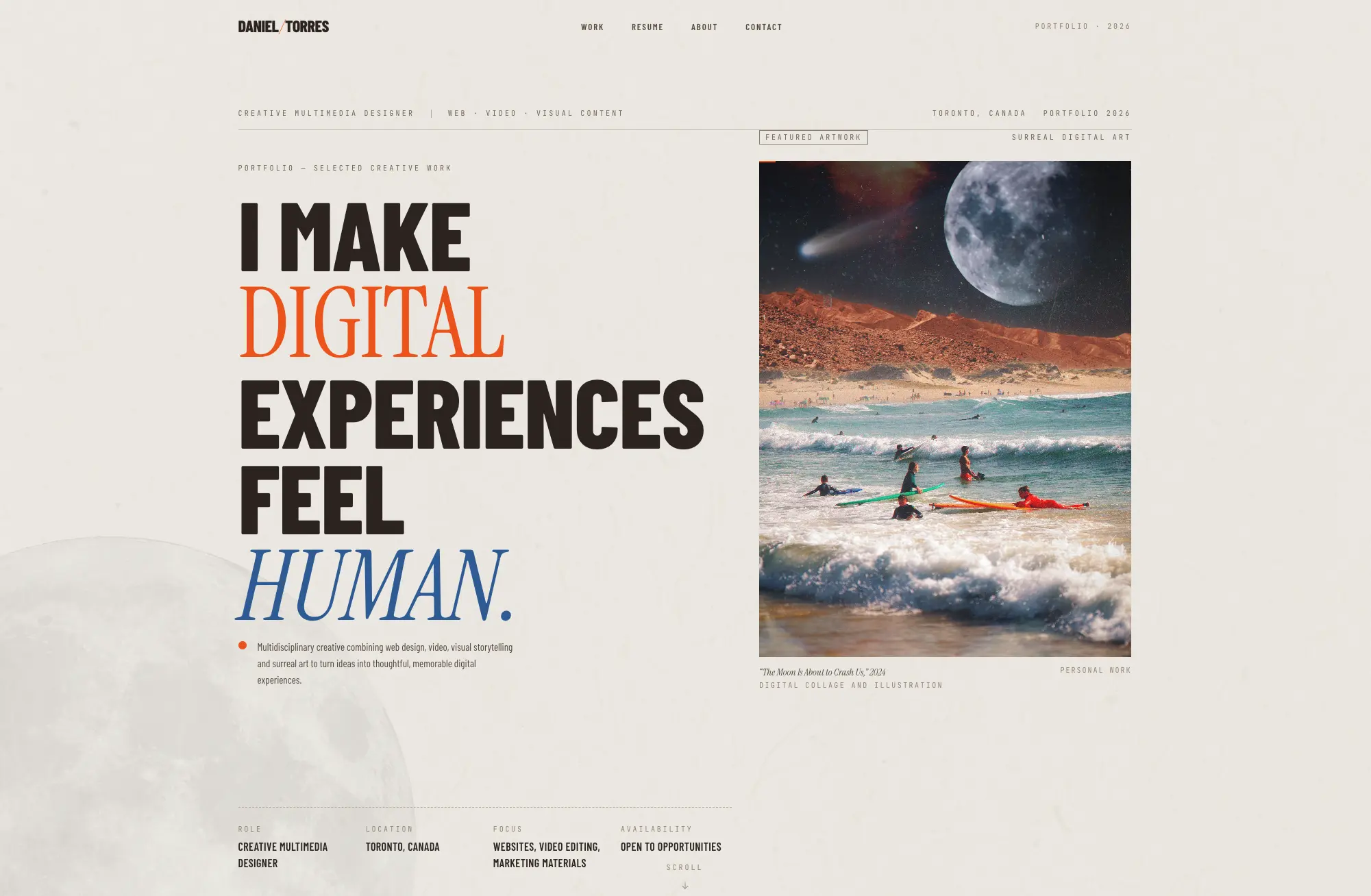
Current idanieltorres.com portfolio homepage
Current idanieltorres.com homepage — the finished portfolio direction.
Planning + Direction

Planning the portfolio before building it.
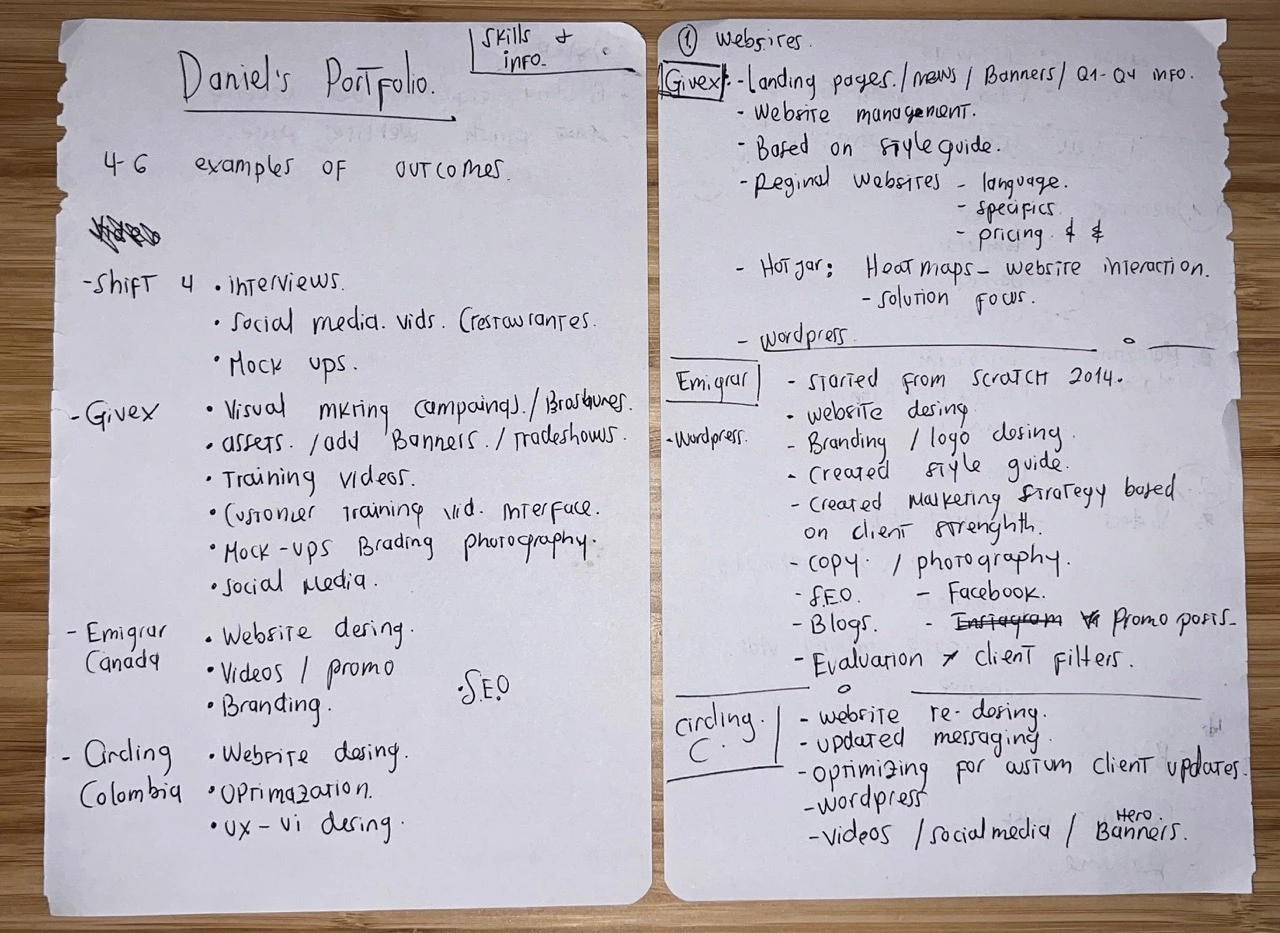
The project started by deciding what the portfolio needed to communicate, which work deserved emphasis and how each case study should support that story. Those priorities were mapped before they became interfaces and code.

Handwritten planning notes for the portfolio and its website case studies
Early portfolio planning — organizing projects, responsibilities and the work worth showing.

What I worked on

  1. 01

    Creative Direction

    Defined the portfolio structure, visual direction, project hierarchy and editorial approach before translating those decisions into the site.

  2. 02

    AI-Assisted Exploration

    Used conversational AI and rapid visual prototyping to explore directions, critique ideas and iterate before moving approved decisions into development.

  3. 03

    Development Workflow

    Built the portfolio with Next.js, React and Tailwind CSS, using Codex as an implementation partner while reviewing and refining the work locally.

  4. 04

    Design System

    Turned recurring decisions around typography, grids, spacing, captions, artifact framing and project transitions into a documented reusable case-study system.

An AI-Assisted Workflow

A faster loop between idea and implementation.
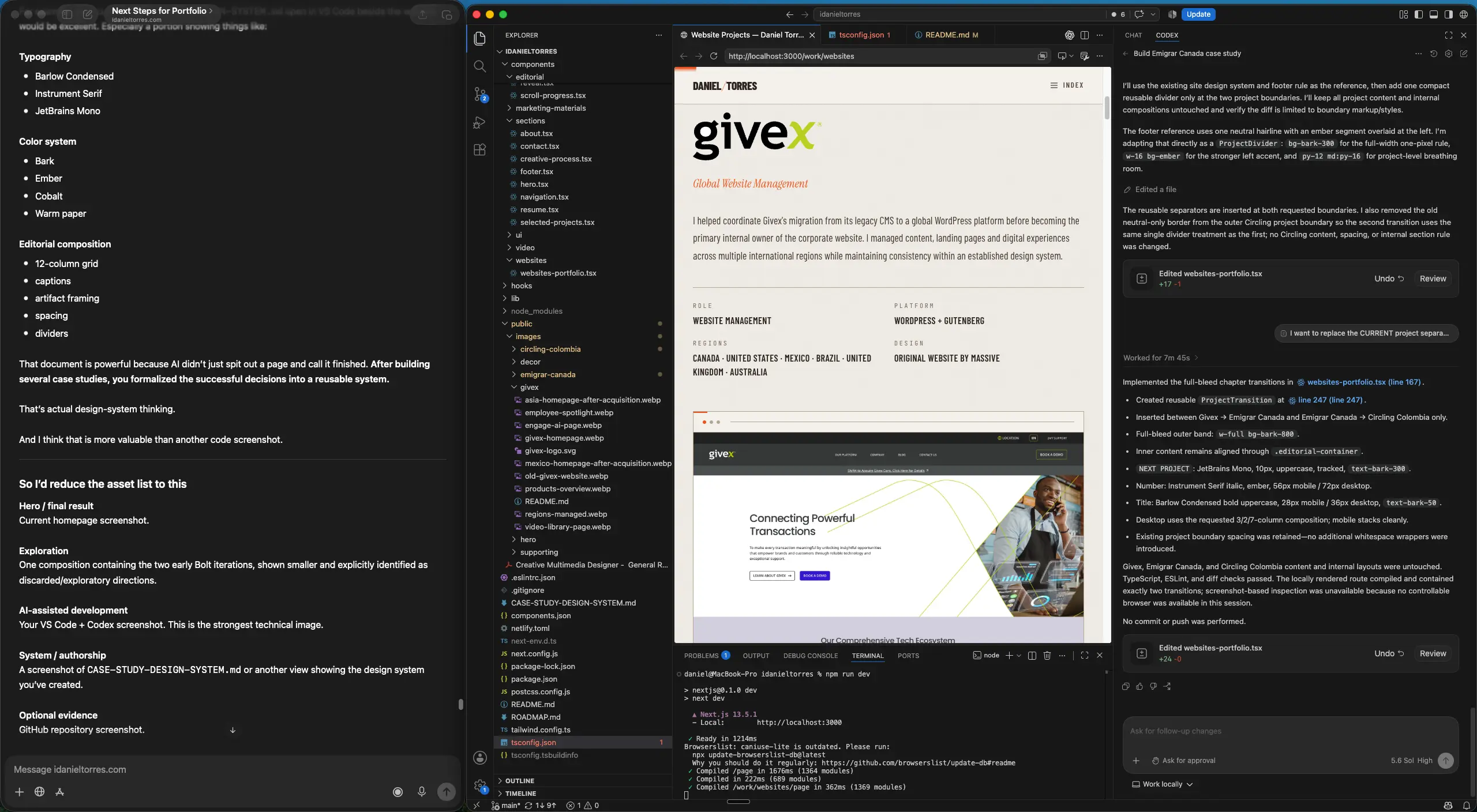
My workflow became conversational. I articulate ideas and feedback quickly, use AI to explore and clarify the direction, and move into Codex once the decisions are ready to implement. I review each result locally in the browser, challenge what isn't working and refine it again. The tools shorten the distance between idea and implementation; direction, judgment and final decisions remain part of the review.

The responsive implementation uses Next.js, React, Tailwind CSS and Framer Motion. Portfolio images are resized and converted to WebP to reduce unnecessary image weight and improve loading performance.

  1. Articulate
  2. Explore
  3. Implement
  4. Review
  5. Refine
ChatGPT, VS Code, local browser preview and Codex used together during portfolio development
A conversational workflow connecting direction, implementation and local review.
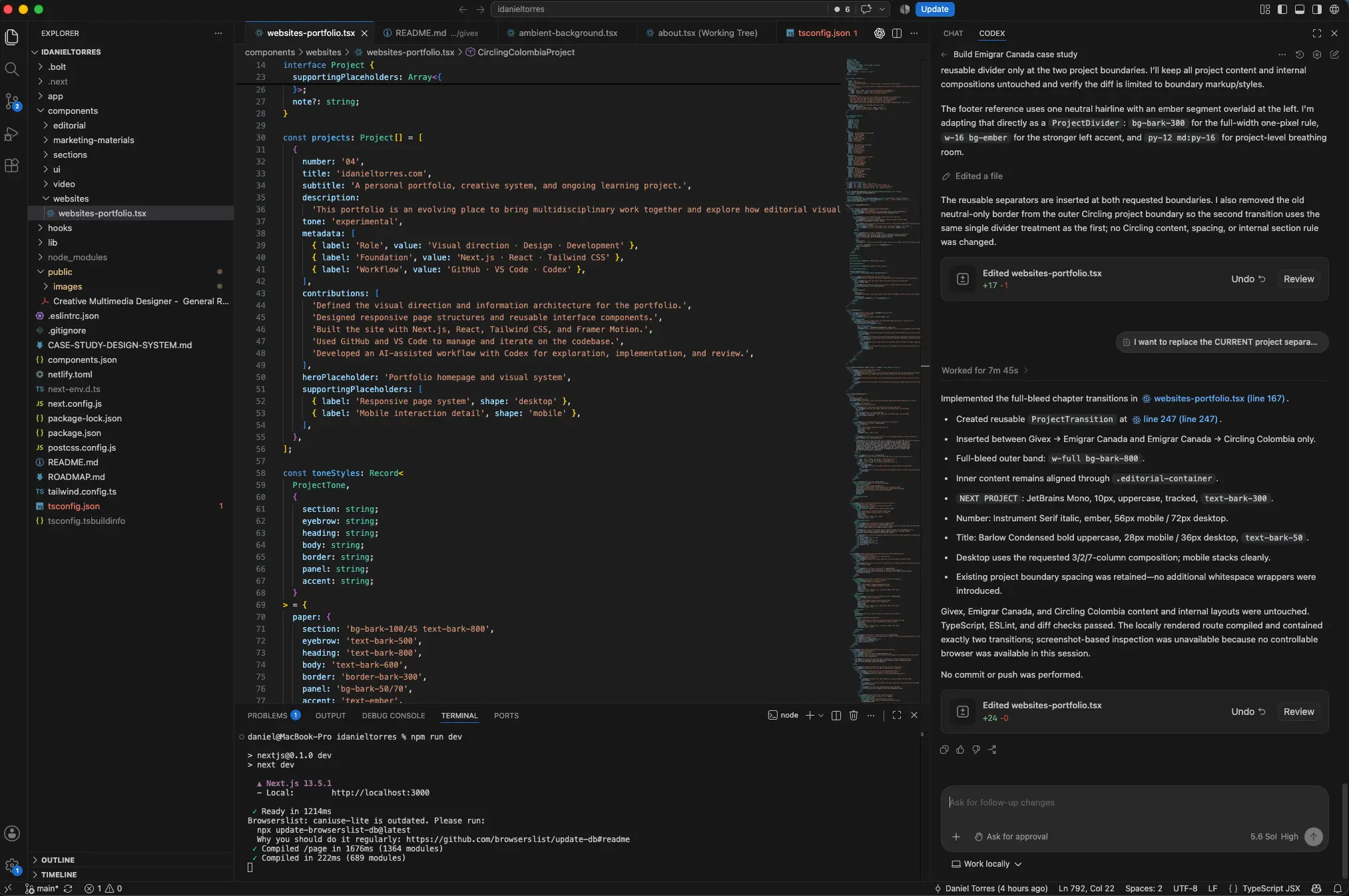
Codex working alongside the portfolio codebase in VS Code
Approved ideas moving into the working portfolio codebase with Codex.
  • Next.js
  • React
  • Tailwind CSS
  • Framer Motion
  • Git / GitHub
  • Responsive Design
  • WebP Image Optimization
From Experiment to System

The experiment became a system.
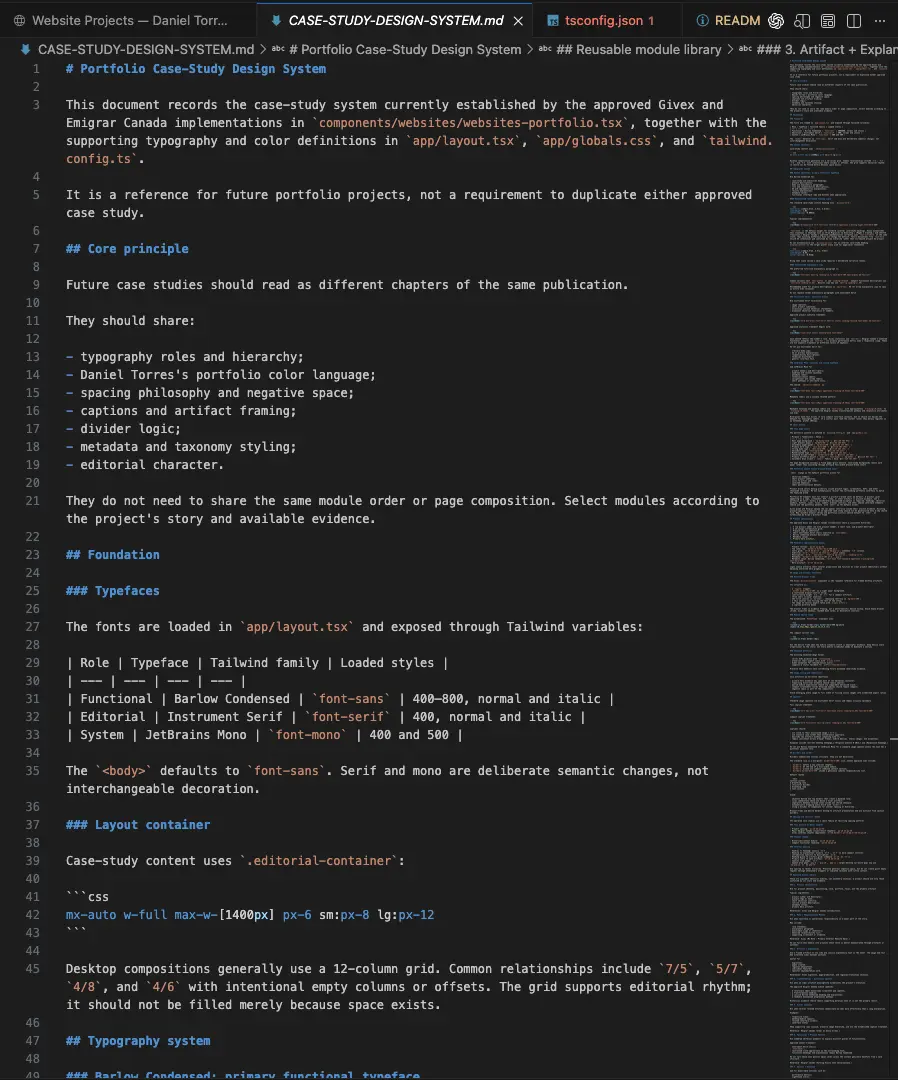
As the portfolio grew, I stopped treating each case study as an isolated page. The decisions that were working — typography, spacing, grids, captions, artifact framing and project transitions — were documented into a reusable case-study system. Future projects can now feel like different chapters of the same publication without repeating the same layout.

  • Typography roles + hierarchy
  • Editorial containers + 12-column composition
  • Spacing + negative space
  • Captions + artifact framing
  • Metadata + divider logic
  • Color usage + reusable modules
CASE-STUDY-DESIGN-SYSTEM.md open in the portfolio codebase
CASE-STUDY-DESIGN-SYSTEM.md documenting the shared publication language for future projects.
Result

A portfolio built to show my work also became a way to change how I make it.

The project gave me a practical way to explore AI-assisted development without giving up the parts of the process I value most: visual judgment, iteration, structure and craft. The result is both a working portfolio and an evolving system I can continue building on.

View the live website